Product blog
Product blog
Product updates, field guides, and field notes—each with links to docs and the hub where relevant. High-level milestones also appear on the changelog.
Topic
 Read
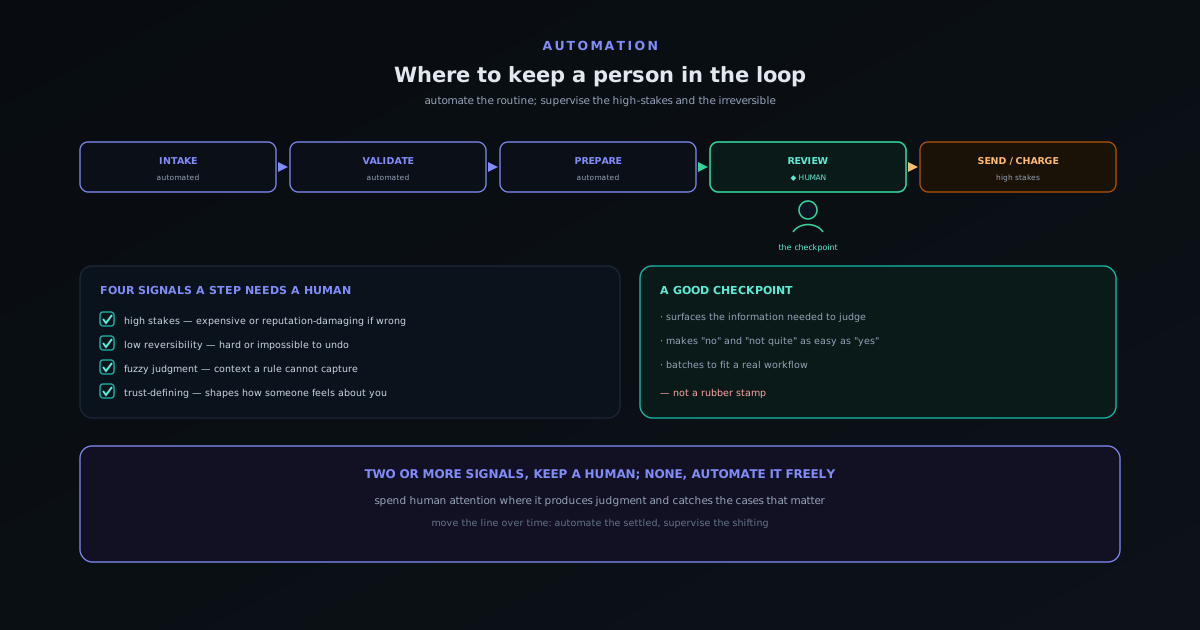
ReadField guide · Jun 10, 2026
Human-in-the-loop automation: where to keep a person in the workflow
Why full automation is the wrong default for some steps, the four signals that a step needs a human (high stakes, low reversibility, fuzzy judgment, trust-defining), how to design a checkpoint that adds value instead of friction, and how to move the line over time as you build confidence.
- When NOT to automate
- Four signals for a checkpoint
- Designing the human step well
Novus Stream Solutions (hub)
 Read
ReadField guide · Jun 10, 2026
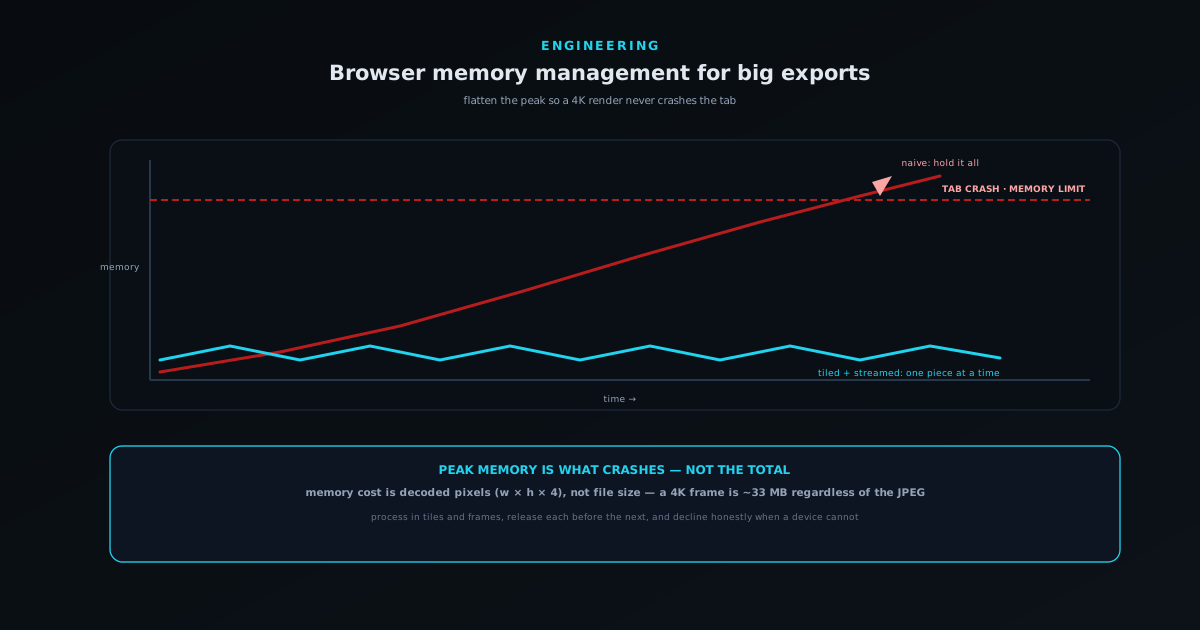
Browser memory management: not crashing the tab on a 4K export
How to keep a heavy in-browser export from crashing the tab: where the memory actually goes (decoded pixels, not file size), why peak usage is what kills you, tiling and streaming so you never hold the whole thing at once, releasing buffers and bitmaps explicitly, and degrading honestly when a device cannot do the job.
- Decoded pixels dwarf file size
- Peak memory is what crashes
- Stream and tile; release early
Novus Visualizers
 Read
ReadField guide · Jun 10, 2026
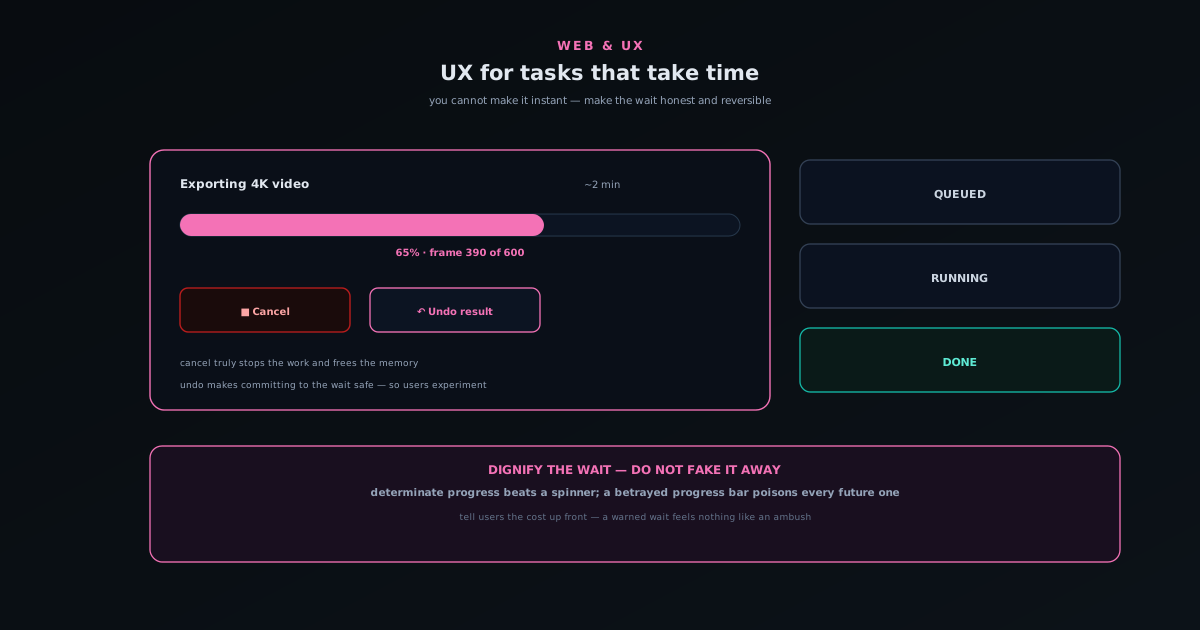
UX for tasks that take time: progress, cancel, and undo
How to design for operations that genuinely take time: the difference between perceived and real performance, why determinate progress beats an endless spinner, building a cancel that actually stops the work, giving slow results an undo so commitment never feels risky, and being honest when something will take a while.
- Honest progress, not a fake spinner
- A cancel that truly stops it
- Undo makes the wait safe
Novus Visualizers
 Read
ReadField guide · Jun 10, 2026
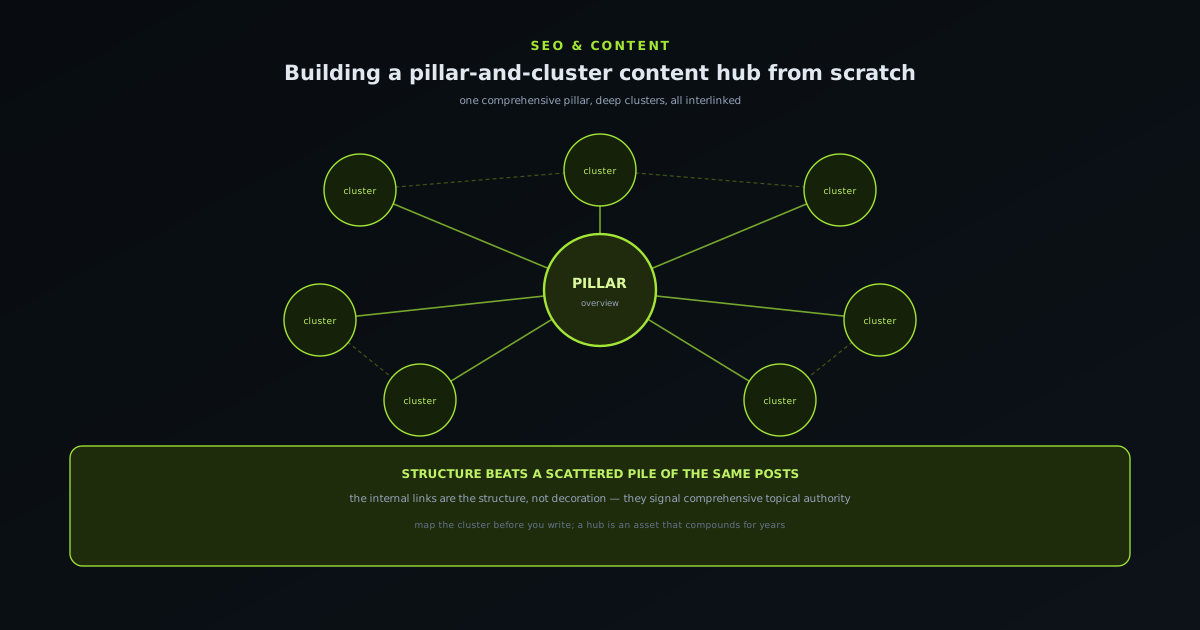
Building a pillar-and-cluster content hub from scratch
A step-by-step guide to organising content into a hub that ranks: what the pillar-and-cluster model is, why structured topical coverage beats scattered posts, how to choose a pillar and map its cluster, why the internal links are the structure rather than decoration, how to build the hub so the links stay correct as it grows, and the mistakes — thin clusters, orphans, cannibalisation — that undermine it.
- One pillar, many deep clusters
- Internal links are the structure
- Topical authority compounds
Novus Stream Solutions (hub)
 Read
ReadField guide · Jun 10, 2026
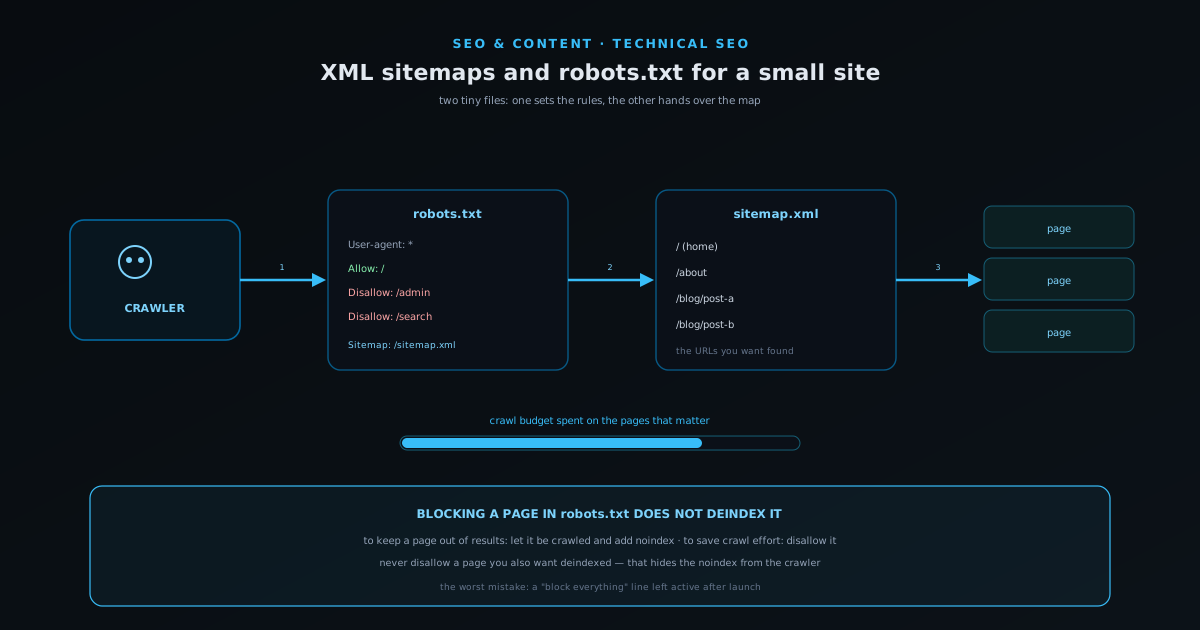
XML sitemaps and robots.txt for a small site
A plain guide to the two files that shape how search engines crawl a small site: what robots.txt actually controls and the dangerous difference between blocking crawling and preventing indexing, what an XML sitemap is and is not, how the two work together, the classic mistakes that accidentally deindex a site, and the light maintenance that keeps both honest as the site grows.
- robots.txt sets the rules
- Sitemap hands over the map
- Blocking ≠ deindexing
Novus Stream Solutions (hub)
 Read
ReadField guide · Jun 10, 2026
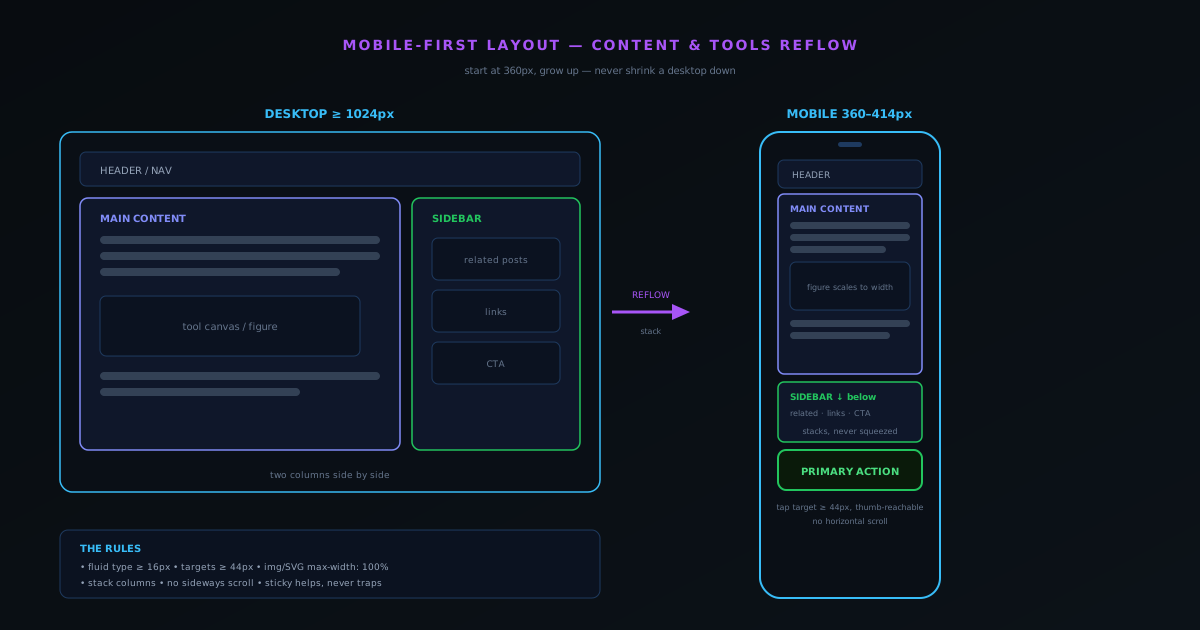
Mobile-first layout for content and tools
Why designing for the phone first produces a better desktop experience too, and the concrete rules that get you there.
- Start at 360px, not 1440px
- Tap targets at least 44px
- Stack, never cram or scroll sideways
Novus Stream Solutions (hub)
 Read
ReadProduct highlight · Jun 9, 2026
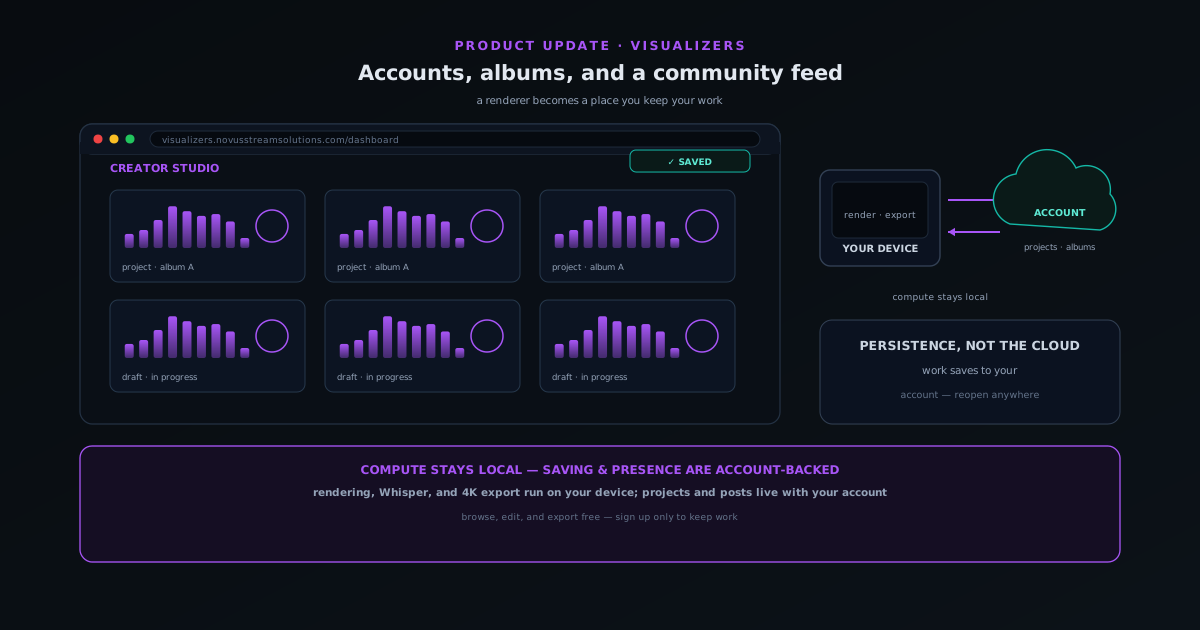
Novus Visualizers grows up: accounts, albums, and a community feed
A walkthrough of the Novus Visualizers account era: signing up, saving drafts and projects, grouping albums, the community feed, and the companion tools — and why the rendering still runs on your own device.
- Free accounts + Creator Studio
- Durable saved projects & albums
- Community feed: like, save, post
Novus Visualizers
 Read
ReadProduct highlight · Jun 9, 2026
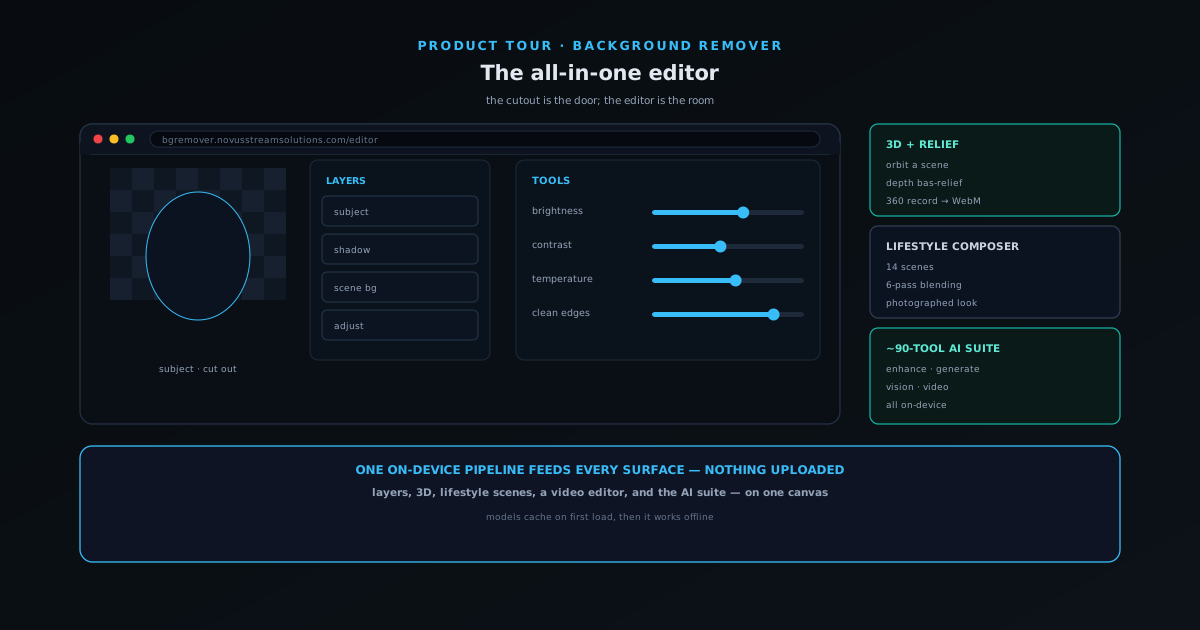
Inside the all-in-one NSS Background Remover editor: layers, 3D, video, and on-device AI
A guided tour of the all-in-one NSS Background Remover editor: how layers, selection, adjustments, 3D, the video editor, and the on-device cutout and upscaling models fit on one on-device pipeline that never uploads your files.
- Layers, 3D & video editor
- On-device cutout & upscaling
- .nss-project saves, no upload
NSS Background Remover
 Read
ReadProduct highlight · Jun 9, 2026
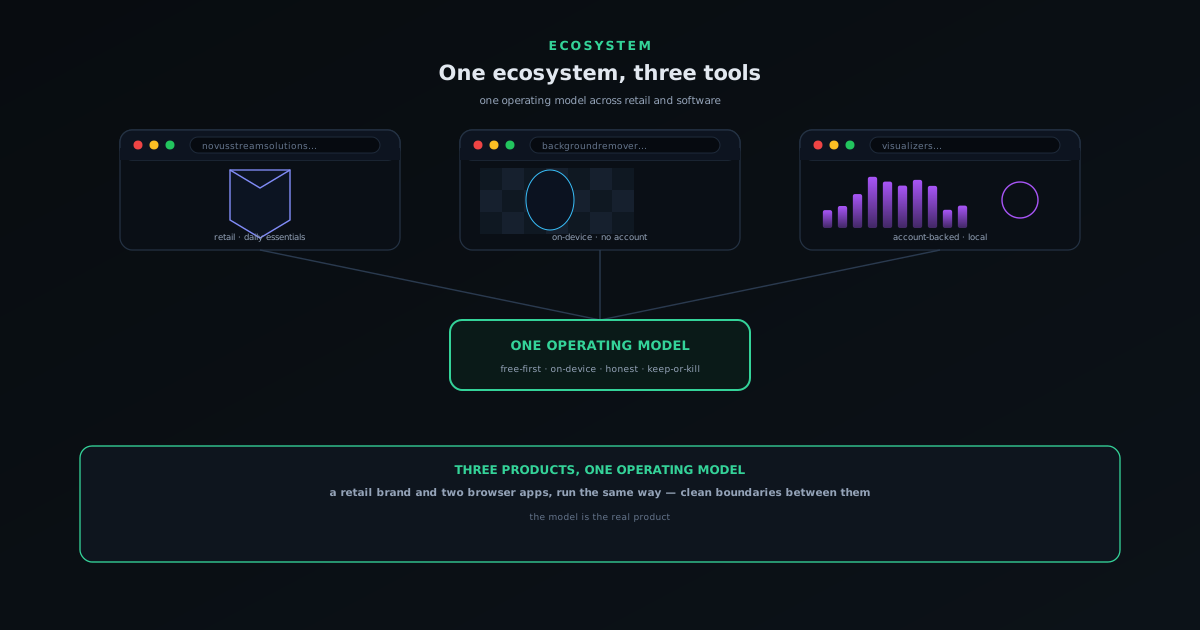
One software ecosystem, two tools: how Background Remover and Visualizers fit together
A map of the Novus software ecosystem: NSS Background Remover and Novus Visualizers, the shared free-first and on-device principles, and the deliberate differences between them.
- Two tools, one model
- Two creator apps
- Free-first, on-device, honest
Novus Stream Solutions
 Read
ReadField guide · Jun 9, 2026
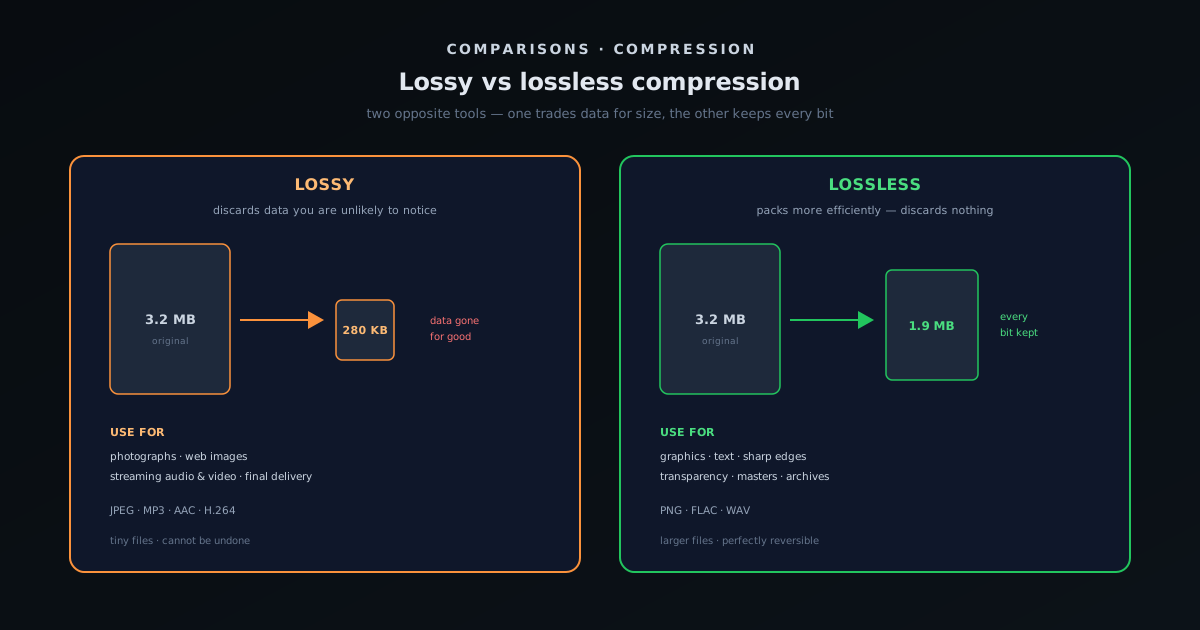
Lossy vs lossless compression: what each is for
What lossy and lossless compression actually do, the trade-off between size and fidelity, the generation-loss trap, which formats are which, and a simple rule for choosing the right one for photos, graphics, audio, masters, and the web.
- Size vs fidelity, explained
- The generation-loss trap
- A simple rule for choosing
Novus Stream Solutions (hub)