Product blog
Product blog
Product updates, field guides, and field notes—each with links to docs and the hub where relevant. High-level milestones also appear on the changelog.
Topic
 Read
ReadProduct highlight · Jun 15, 2026
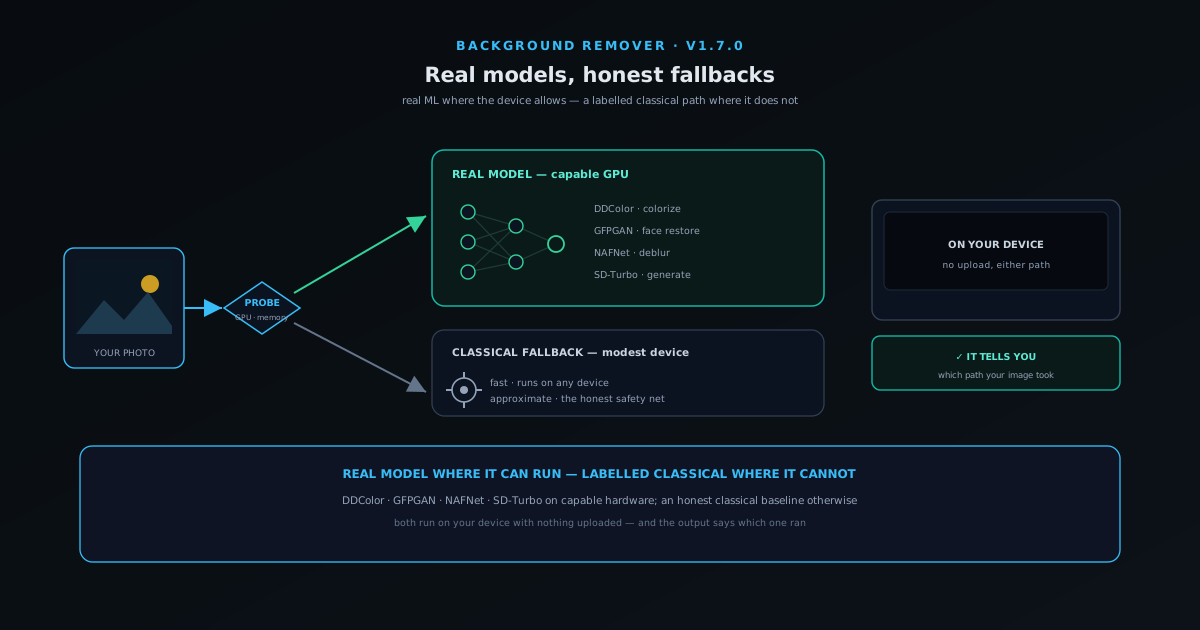
When the fallback becomes the real thing: real AI models vs classical baselines in the browser
The v1.7.0 "real models everywhere" shift explained: what a real model (a segmentation network for background removal, a super-resolution model for upscaling) actually buys you over a classical baseline like a bicubic resize, why the fallback still has a job, how the app decides which to run, and why telling you which one ran is the whole point of "honest everywhere".
- Real models where hardware allows
- Honest classical fallback elsewhere
- It tells you which one ran
NSS Background Remover
 Read
ReadField guide · Jun 12, 2026
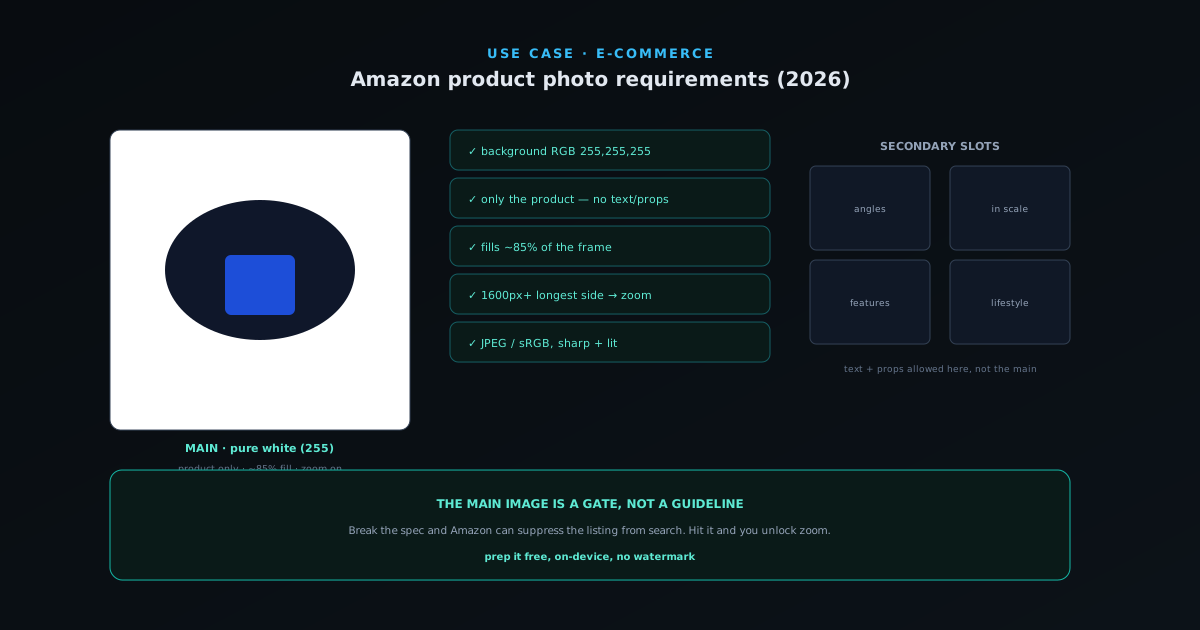
Amazon product photo requirements (2026): the complete spec, explained
The pure-white main image, the 85% fill rule, the resolution that unlocks zoom, and what belongs in your secondary slots — the whole Amazon photo spec without the guesswork.
- Pure-white (255,255,255) main image
- 85% frame fill + 1600px for zoom
- Main vs lifestyle slots explained
NSS Background Remover
 Read
ReadField guide · Jun 11, 2026
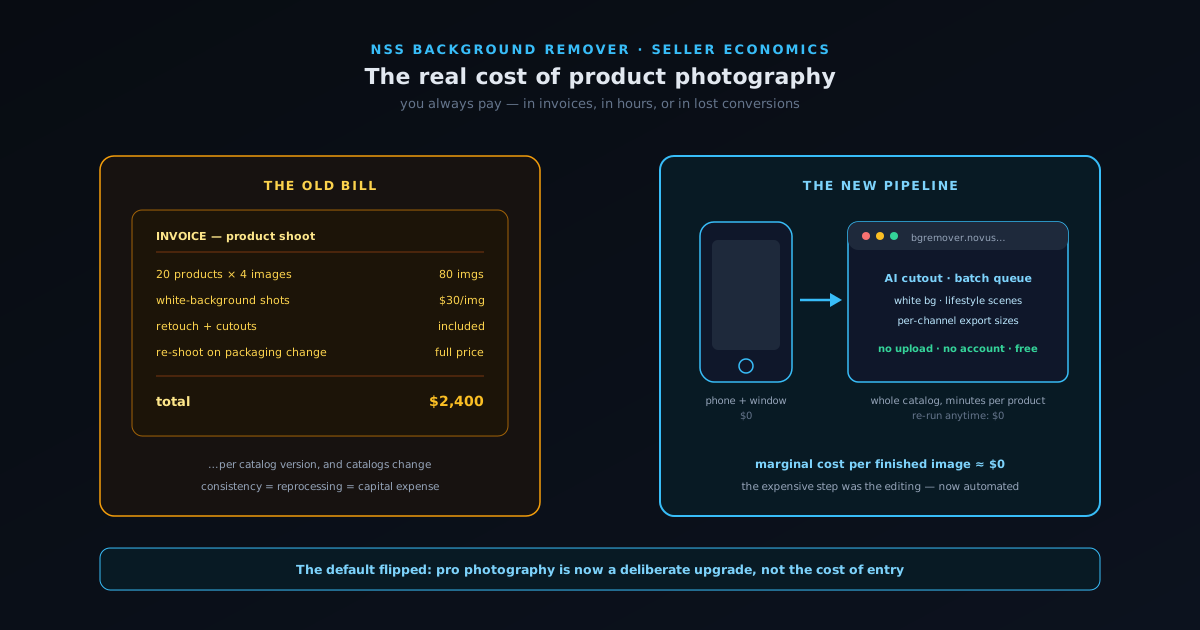
The real cost of product photography — and how a browser tool replaces most of a studio
A cost-accounting look at product imagery for small sellers: what studios, freelancers, and DIY setups really cost per finished image, why marketplaces keep raising the visual bar, and a repeatable phone-plus-browser workflow built on NSS Background Remover that produces catalog-grade images at near-zero marginal cost.
- Cost per finished image is the metric
- The visual bar keeps rising
- A studio in a browser tab
NSS Background Remover
 Read
ReadProduct highlight · Jun 9, 2026
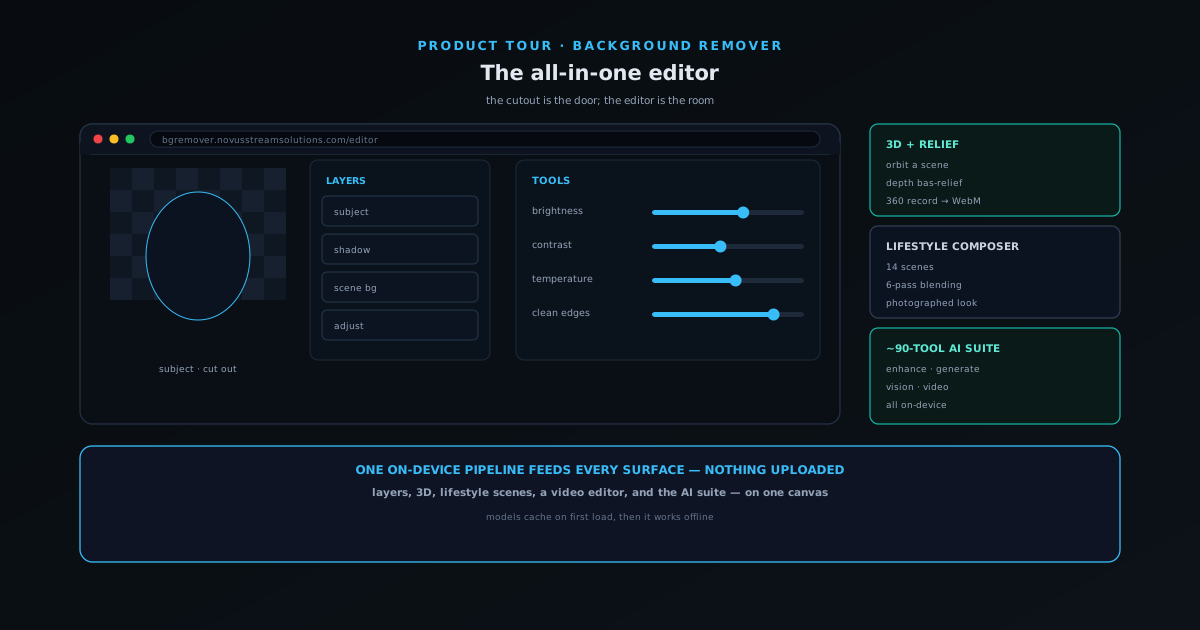
Inside the all-in-one NSS Background Remover editor: layers, 3D, video, and on-device AI
A guided tour of the all-in-one NSS Background Remover editor: how layers, selection, adjustments, 3D, the video editor, and the on-device cutout and upscaling models fit on one on-device pipeline that never uploads your files.
- Layers, 3D & video editor
- On-device cutout & upscaling
- .nss-project saves, no upload
NSS Background Remover
 Read
ReadProduct highlight · Jun 7, 2026
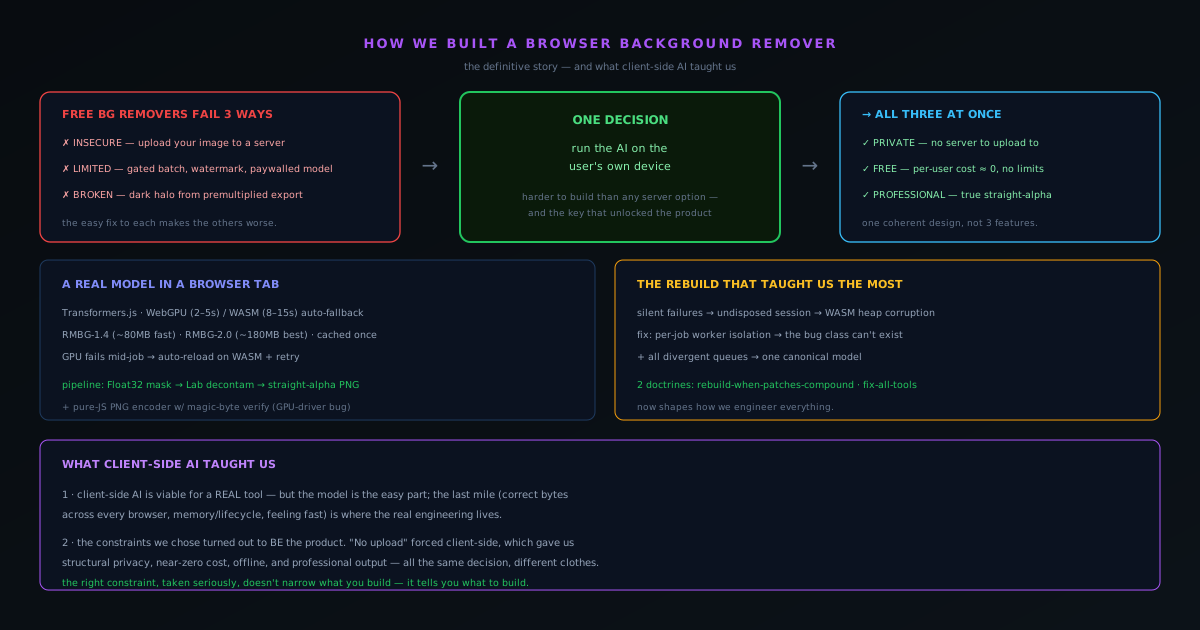
How we built a background remover that runs entirely in your browser — and what it taught us about client-side AI
The complete build story — privacy stance, models in the browser, straight-alpha export, the worker rebuild — and the lessons that came out of shipping real client-side AI.
- Fully on-device AI
- Straight-alpha, professional output
- The rebuild that reshaped how we build
NSS Background Remover
 Read
ReadField guide · Jun 5, 2026
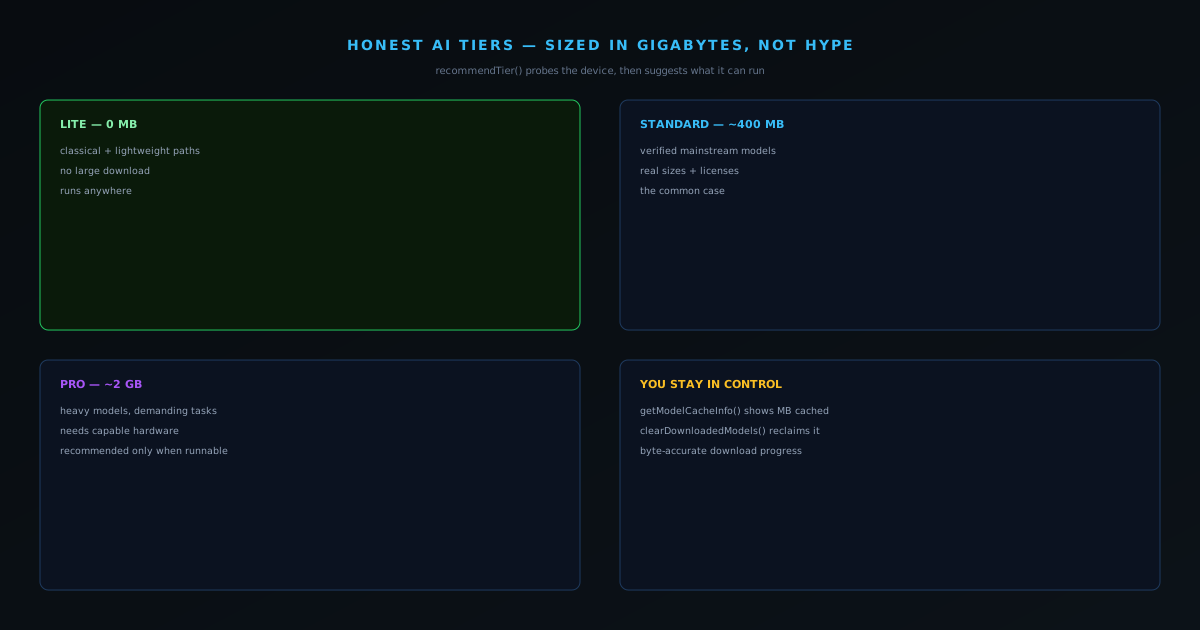
Honest AI tiers: Lite, Standard, Pro — sized in gigabytes, not hype
Why naming real model sizes and recommending a tier your device can run beats promising everyone the heaviest model.
- Lite 0 / Standard ~400MB / Pro ~2GB
- recommendTier() probes WebGPU + memory
- Delete downloaded weights any time
NSS Background Remover
 Read
ReadField guide · Jun 5, 2026
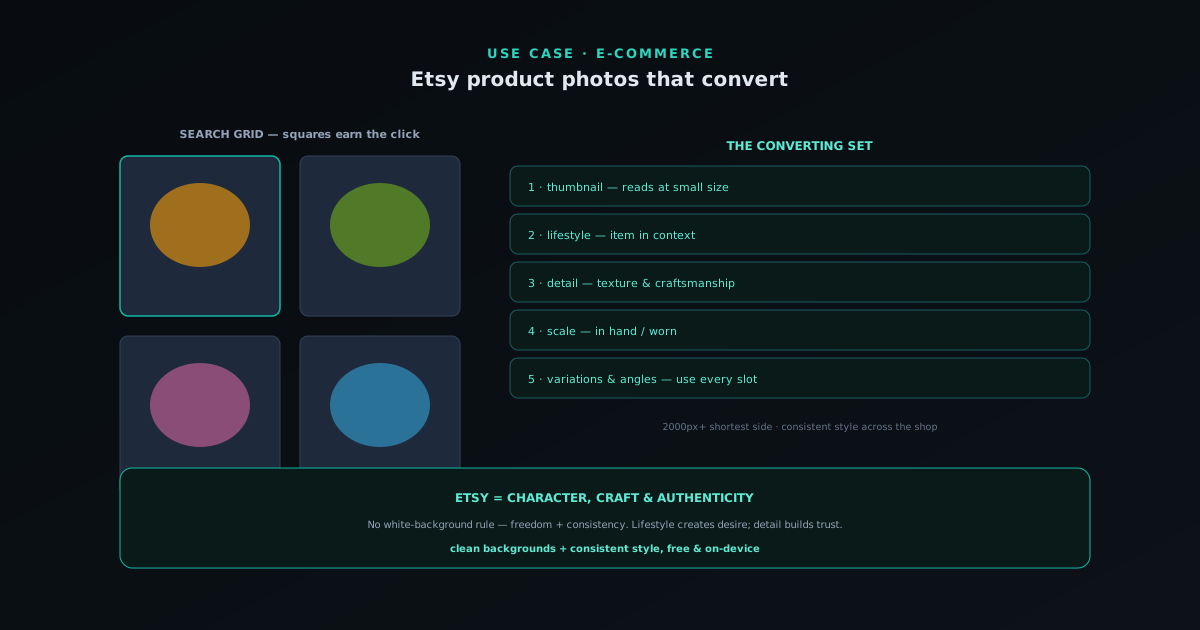
Etsy product photos that convert
What Etsy buyers respond to, the image specs and square-thumbnail rule, the mix of lifestyle and detail shots that converts, and how to prep it free and on-device.
- The thumbnail earns the click
- Lifestyle + scale + detail mix
- Consistent, free, on-device
NSS Background Remover
 Read
ReadField guide · Jun 2, 2026
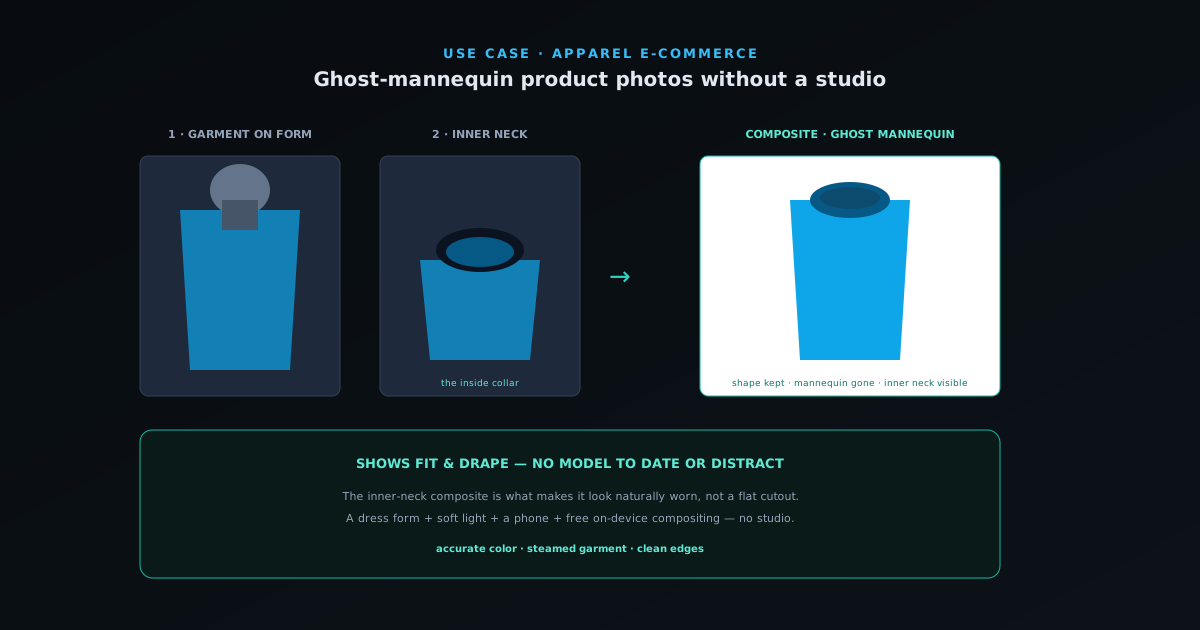
Ghost-mannequin product photos without a studio
What the ghost-mannequin effect is, why it converts for apparel, the front-plus-inner-neck two-shot method, and how to composite it without a studio.
- The invisible-mannequin look
- Front + inner-neck two-shot
- Composited free, on-device
NSS Background Remover
 Read
ReadField guide · May 26, 2026
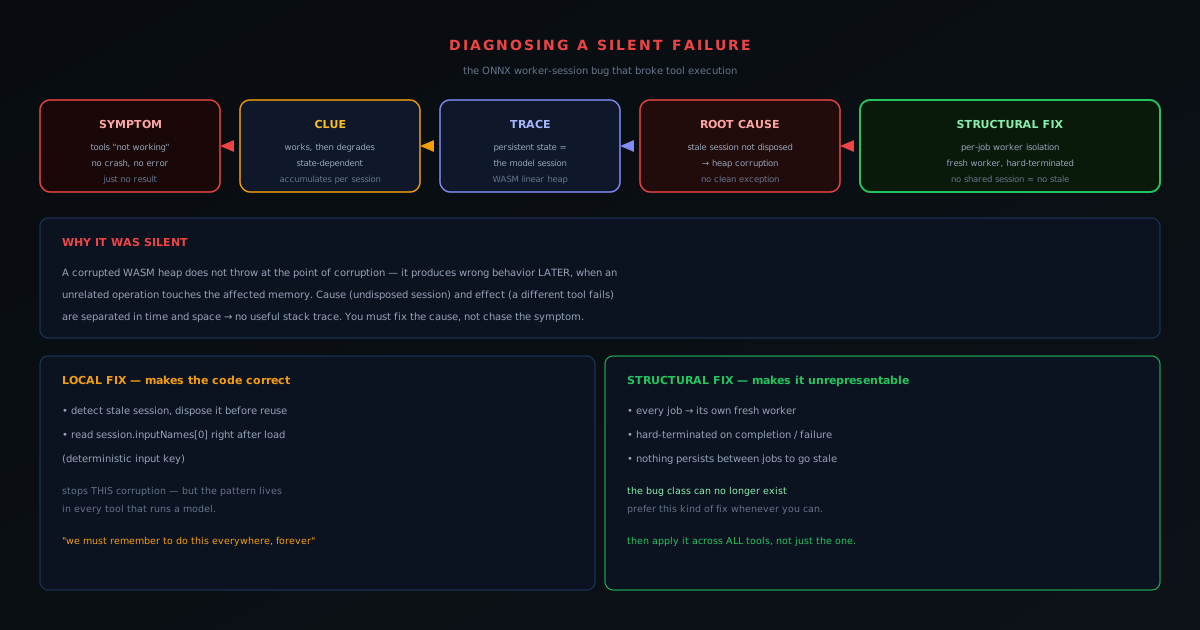
Diagnosing a silent failure: the ONNX worker-session bug that broke tool execution
A debugging story a developer hitting the same wall can learn from: the symptom, the trace, the root cause, and the structural fix.
- Silent failure, no stack trace
- WASM heap corruption from an undisposed session
- Fixed by per-job worker isolation
NSS Background Remover
 Read
ReadField guide · May 25, 2026
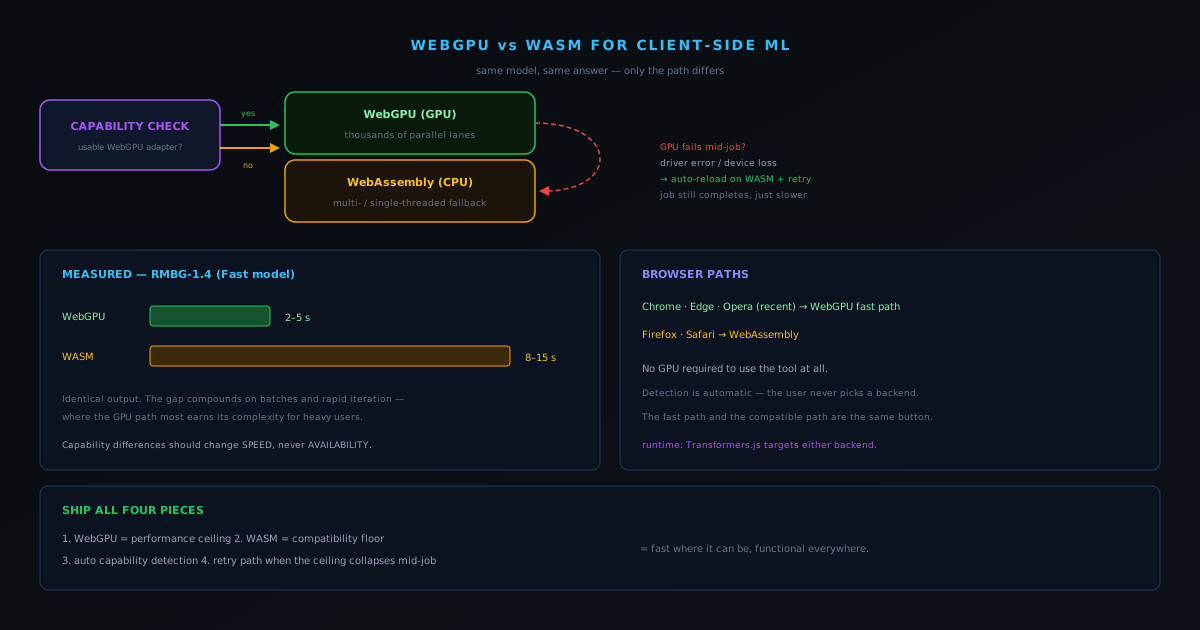
WebGPU vs WASM for client-side ML: what actually changed our inference speed
WebGPU is faster; WASM is universal. Here is how a real tool uses both, and the measured difference it makes.
- 2–5s WebGPU vs 8–15s WASM (RMBG-1.4)
- Automatic capability detection
- Fall back, then retry on GPU failure
NSS Background Remover