2026 · Novus Stream SolutionsAbout 11 min readNovus Stream Solutions
One software ecosystem, two tools: how Background Remover and Visualizers fit together
Novus runs two live software products — a no-account image and video editor, and an account-backed creator platform. Here is how they fit one operating model, why they save work in opposite ways, and where the boundaries are.
Contents
- 1.Overview
- 2.Two products, one operating model
- 3.NSS Background Remover: the no-account, on-device tool
- 4.Novus Visualizers: the account-backed creator platform
- 5.Two opposite saving models, on purpose
- 6.What the two share: free-first, on-device where it counts, honest
- 7.Why a portfolio instead of one product
- 8.The role of content and documentation in the ecosystem
- 9.Where the boundaries are — and how to navigate them
Overview
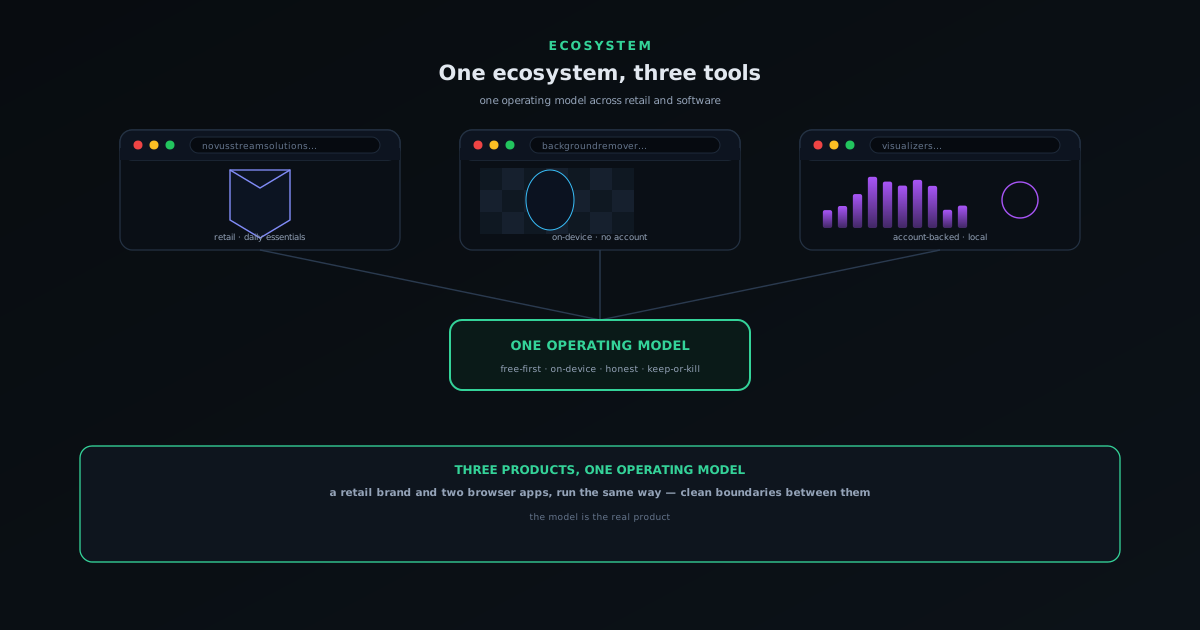
Novus is not one product with a few features; it is two live software products that share an operating model. Both are browser apps: NSS Background Remover, an on-device image and video editor that needs no account, and Novus Visualizers, an account-backed platform for turning music into exportable, beat-synced video. They look unrelated on the surface — cutouts and music videos — but they are built and run the same way, and the differences between them are deliberate rather than accidental. This post is the map: what each one is, what they share, where they intentionally diverge, and how to move between them.
The reason to write this down is that an ecosystem only helps users if its parts are legible. A portfolio of products that blur into each other confuses people about what to click and what each thing is for; a portfolio whose boundaries are clean lets someone land on any one product, understand it immediately, and discover the others without friction. Novus leans hard on that clarity, which is why, for example, the two tools save your work in opposite ways on purpose. Understanding the shape of the whole makes each piece easier to use.
Two products, one operating model
The common thread is the operating model of Novus Stream Solutions, a free-apps studio: build small, ship, measure honestly, and keep or kill based on whether a thing earns its place. Every product has to fit a structural constraint — it must run at very low marginal cost, which in practice means the heavy lifting happens on the user's device, not on an always-on bill that grows with every visitor. That single filter explains a lot about why Novus builds what it builds and shelves what it shelves: ideas that would require expensive always-on infrastructure or heavy paid third-party APIs fail the test before they start, because they cannot be offered the way Novus wants to offer things.
That model is why the software products are free. It is also why content sits alongside the products — a steadily growing blog and documentation set that is built as typed code rather than managed in a separate system, so publishing has a low marginal cost and the site stays alive without heroics. The two products are different expressions of the same discipline: solve a real problem, keep the running cost near zero at idle, be honest about what the thing does, and let quality compound over time rather than buying growth. Once you see the operating model, the lineup stops looking random and starts looking like one philosophy applied twice.
NSS Background Remover: the no-account, on-device tool
NSS Background Remover is the software product built around a single, uncompromising privacy promise: your files never leave your device. It runs entirely in the browser — the AI models download to your cache on first use, and after that every operation happens locally. It grew from a one-click cutout into a full image and video editor with layers, a 3D mode, and on-device AI upscaling, but the bargain never changed: no upload, no signup, no cost. Projects save as local .nss-project files in your own browser storage, which is the natural saving model for a tool whose entire value proposition is that nothing you load is ever transmitted.
The reason it deliberately has no account is that an account would undercut the promise. The whole point is that you can cut out a client deliverable, unpublished artwork, or a confidential document without trusting a server, so adding cloud accounts and uploads would trade away the thing that makes it worth choosing. Background Remover is the ecosystem's clearest statement of the on-device principle taken to its conclusion: maximum capability, zero data leaving the machine, no identity required. It is the right design for what it does — and, as the next section shows, exactly the wrong design for the other software product, which is the point.
Novus Visualizers: the account-backed creator platform
Novus Visualizers turns an uploaded track into a beat-synced, exportable video, and it recently grew an account era: free accounts, a Creator Studio dashboard, durably saved projects and albums, a public community feed, and companion tools for cover art, lyric videos, sound effects, and stream overlays. Like Background Remover, the heavy compute is local — audio analysis, rendering, on-device captions, and the final 4K encode all run in the browser. Unlike Background Remover, it adds account-backed persistence, because the problem creators kept hitting was different: they were not worried about a server seeing their work, they were frustrated that their work disappeared when the tab closed and could not be reopened on another machine.
So Visualizers made the opposite saving choice from Background Remover, and it made it on purpose. A music visualizer is something a creator wants to publish, build a body of work around, and return to across a release cycle, which is exactly what accounts, albums, and a community feed are good for. The compute stays local for the same reasons it does everywhere in the ecosystem, but the work itself lives with your account so it survives and travels. Visualizers is the proof that "on-device" and "account-backed" are not opposites — you can keep the computation private and local while still giving people a durable, public home for the results.
Two opposite saving models, on purpose
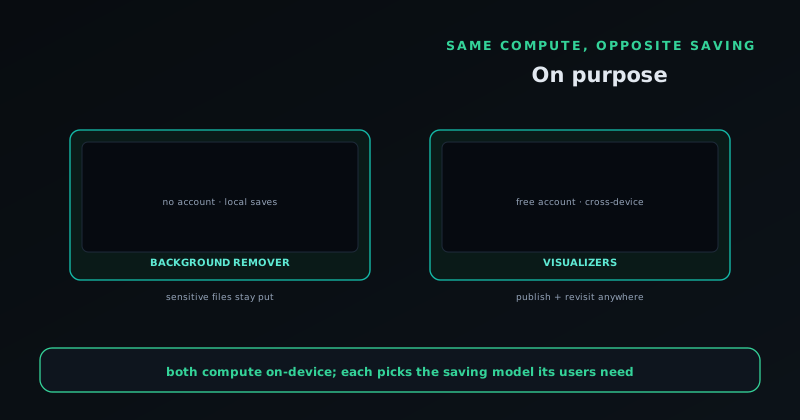
The most instructive thing about the two software products is that they answer the saving question in completely different ways, and both answers are correct for their context. Background Remover saves locally and has no account because its users are handling sensitive files and value the guarantee that nothing is transmitted; an account would be a liability, not a feature. Visualizers saves to an account because its users want to keep, revisit, and publish creative work across devices and over time; local-only saving would be the limitation, not the protection. Same parent ecosystem, same on-device compute, opposite persistence model — driven entirely by what each audience actually needs.
This is the clearest illustration of the operating model thinking for itself rather than applying a template. It would have been easier to make both apps work the same way, but easier would have been wrong: the right call is to let the use case decide where work should live. For users, the takeaway is practical — do not assume one Novus tool behaves like another just because they share a parent. Background Remover keeps your files on your machine and asks nothing of you; Visualizers offers a free account precisely because keeping your work is the point. Knowing which model you are in tells you exactly what to expect from each.
Why a portfolio instead of one product
A reasonable question is why run two different things instead of pouring everything into one. The answer is the operating model again: building small, cheap-to-run products and keeping the ones that earn their place is a fundamentally different strategy from betting everything on a single large product. A portfolio spreads risk, lets each product be exactly what it should be without compromise, and means a shelved idea is a contained experiment rather than a catastrophe. It also lets the same disciplines — test, ship, measure, keep or kill — be exercised repeatedly, so the operation gets better at the meta-skill of building things people actually want.
The portfolio approach only works if the marginal cost of each additional product is low, which loops back to the structural constraint: everything has to run cheaply at idle. Because the software pushes compute to the device and the content is built as code, adding another tool or another hundred articles does not add a proportional running cost. That is what makes a portfolio sustainable for a small operation — the costs do not scale linearly with the number of things you maintain. One big product would concentrate both the upside and the fragility; a portfolio of lean ones trades a little focus for a lot of resilience, which is the right trade for how Novus is built.
The role of content and documentation in the ecosystem
There is a fourth pillar that is easy to overlook because it is not a product you use: the content and documentation layer at the hub. The product blog, the per-product docs, the tutorials, and the tool maps are not marketing afterthoughts bolted onto the apps; they are a deliberate part of how the ecosystem works, and they are built with the same discipline as everything else. The content is authored as typed code rather than managed in a separate system, which means publishing has a low marginal cost, the build validates every post, and the site can stay alive on a steady cadence without a heavy editorial operation behind it. That is the same near-zero-at-idle principle applied to words instead of compute.
The reason this layer matters to users is that an ecosystem of distinct products needs somewhere to explain itself honestly, and keeping that explanation separate from the apps is what lets it be candid. The docs can describe exactly which saving model each tool uses, where the privacy lines are, and what is shipped versus what is still ahead, precisely because they are reference material rather than a sales surface. When the apps handle doing and the hub handles explaining, neither has to compromise: the apps stay focused on the task, and the documentation stays free to be detailed and accurate rather than promotional. That division is why you can find a straight answer about how either product actually behaves.
It also compounds over time in a way the products themselves do not. Each article and doc page is a durable asset that keeps being found, read, and trusted long after it is written, building awareness and credibility for the whole ecosystem at a marginal cost close to zero. A growing, honest body of content is its own slow-moving moat — not a campaign that runs and stops, but a library that accumulates. For a small operation that cannot outspend anyone on attention, that compounding is one of the few advantages available, and treating content as a first-class part of the ecosystem rather than an afterthought is how Novus leans into it. The hub is where the two products stop being separate things and start being a coherent, legible whole.
Frequently asked questions
Quick answers to common questions about this topic.
What products make up the Novus software ecosystem?
Two live software products: the NSS Background Remover and Novus Visualizers, both free, in-browser tools. The hub at novusstreamsolutions.com explains how they connect.
How do the two tools relate to each other?
They share an operating model (build, ship, measure, keep-or-kill) and a free-first stance, while staying cleanly separated — each tool is free and on-device, with a saving model chosen to fit its own users.
Where do I find docs for each product?
Each has its own documentation: NSS Background Remover and Novus Visualizers, with tool maps for both apps under Tool maps.