NSS Background Remover
Editing together with collaborative sessions (no upload)
When two people genuinely need to edit together, use peer-to-peer collaborative sessions built on WebRTC with a shared session ID — without routing images through a server.
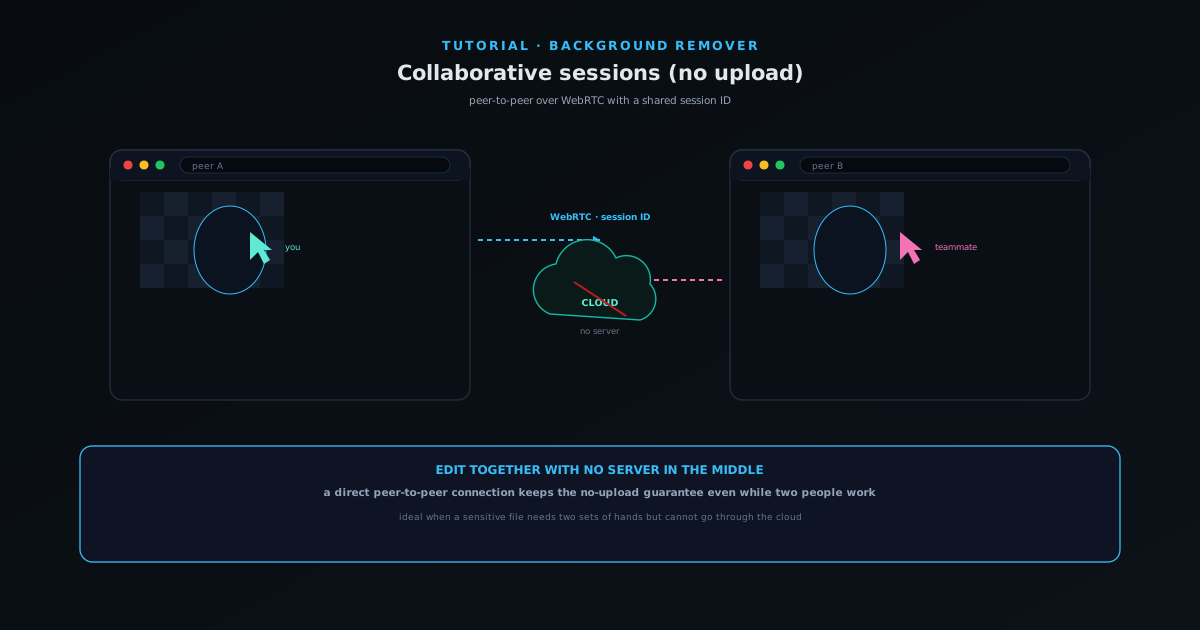
Most of the time NSS Background Remover is a single-operator tool, but occasionally two people genuinely need to edit together. For that, it offers peer-to-peer collaborative sessions built on WebRTC with a shared session ID — and, true to the tool's promise, without routing images through a server.
This tutorial covers starting a session, sharing the ID, and what collaborating peer-to-peer means for privacy and for how you work together.
- 1
1. Start a collaborative session
From the editor, start a collaborative session. The tool sets up a peer-to-peer connection using WebRTC and gives you a session ID to share with the other person.
The connection is direct between the two browsers, which is what keeps the collaboration off any central server.
- Peer-to-peer over WebRTC.
- You get a session ID to share.
- 2
2. Share the session ID
Copy the session ID and send it to your collaborator. When they join with it, the two browsers connect directly and you can work on the same editing session together.
There is an activity log so you can see what is happening in the shared session.
- Copy and share the session ID to invite a collaborator.
- An activity log tracks the shared session.
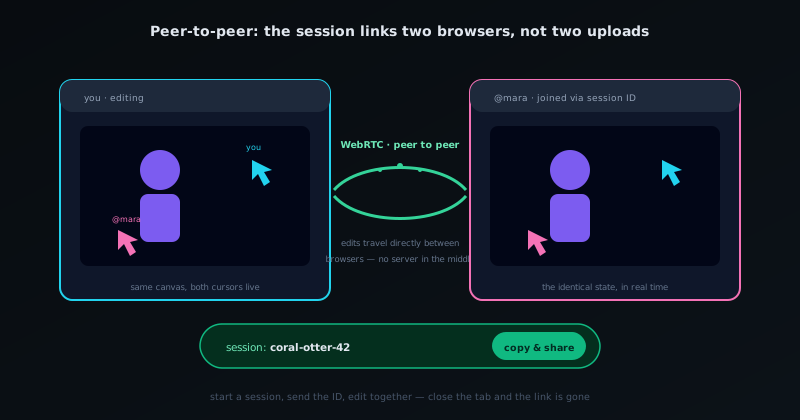
Collaboration is peer-to-peer — the session links two browsers, not two uploads. - 3
3. Work together, privately
Because the session is peer-to-peer, you get real-time collaboration without uploading the images to a server — the privacy guarantee that defines the tool extends to working together. This is ideal when a sensitive file needs two sets of hands but cannot go through a cloud service.
Treat it as a focused, two-person working session rather than a large multi-user document.
- Real-time editing without a server in the middle.
- Best for a focused two-person session.
For when files cannot leave the machine
Collaborative sessions shine exactly when a normal cloud editor would be a non-starter — a confidential deliverable that two people need to work on but that cannot be uploaded. The peer-to-peer model means you keep the tool's no-upload guarantee even while collaborating, which is a rare combination.
Frequently asked questions
Quick answers to common questions about this topic.
Can I edit together with someone in the Background Remover?
Yes — collaborative sessions let people edit together peer-to-peer, without uploading images to a server. The collaboration is direct between participants.
Are images uploaded during a collaborative session?
No. The session is peer-to-peer and the processing stays on-device, keeping the no-upload guarantee even when collaborating.