NSS Background Remover
Prepping product photos for Amazon, Etsy, and Shopify
A practical workflow for turning raw product shots into clean, marketplace-ready images: pure-white or transparent backgrounds, consistent sizing, and compressed files — across a single product or a whole set.
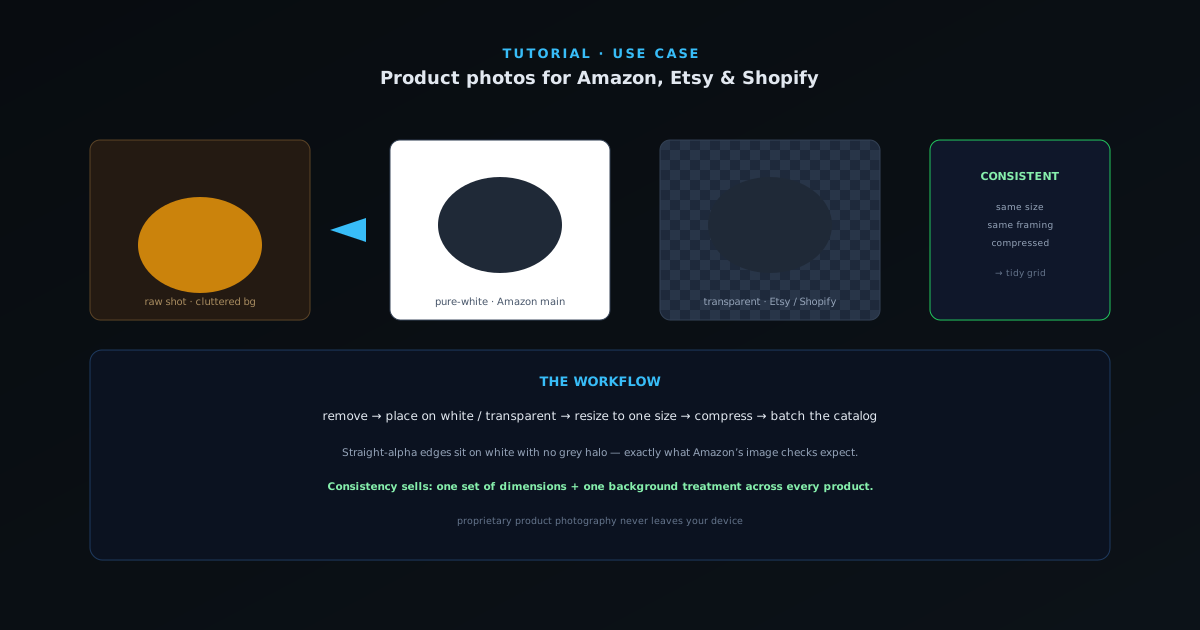
Marketplaces reward clean, consistent product imagery — Amazon’s main images expect a pure-white background, and Etsy and Shopify listings convert better when the product is the only thing in frame. This guide is the end-to-end workflow to get there for a single product or a full catalog, entirely in the browser.
Contents
- 1
1. Remove the background cleanly
Upload your product shot and remove the background. For most products with a defined edge, the Fast mode is enough; switch to Best Quality for fuzzy or reflective items. The result is a transparent cutout you can drop onto any background.
- Fast for clean-edged products.
- Best Quality for fuzzy or detailed items.
- 2
2. Put it on the background the marketplace wants
Amazon main images need a pure-white (RGB 255,255,255) background — open the cutout in the editor and place it on a white layer. For Etsy and Shopify you have more freedom: transparent PNGs, a soft lifestyle scene, or a brand color all work. The straight-alpha edge means the product sits on white without a grey halo, which is exactly what Amazon’s image checks look for.
- Amazon: pure-white background.
- Etsy/Shopify: transparent, scene, or brand color.
- Clean alpha = no halo on white.
- 3
3. Size and compress consistently
Use the resizer to bring every image to the same dimensions so your listing grid looks uniform, then compress with WebP/JPEG quality control to keep page weight down without visible quality loss. Consistent framing across a catalog is one of the strongest trust signals on a product page.
- Resize to one consistent dimension.
- Compress for fast-loading listings.
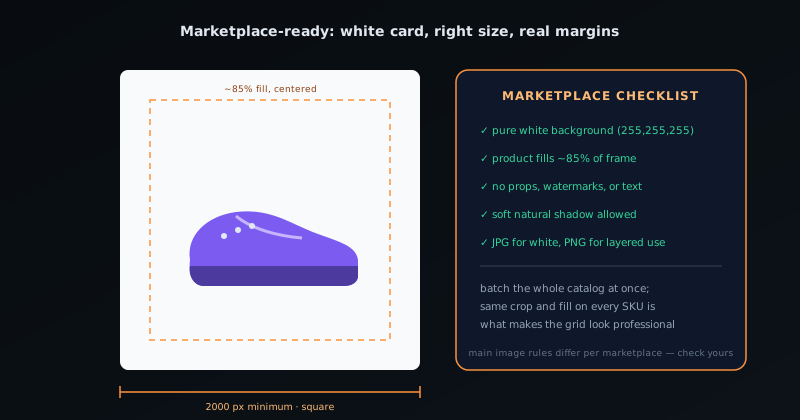
Marketplace-ready means a clean cutout, a white background, and the right pixel dimensions. - 4
4. Keep a whole set consistent
For more than a few products, cut each one out with the same mode and settings, then run every image through the same resize and compress steps in the utility tools so the set stays uniform. Because it all runs locally, you can process a large set without uploading proprietary product photography anywhere. If some source shots are small, the 2×/4× upscaler brings them up to a consistent size before you publish.
Consistency sells
Pick one set of export dimensions and one background treatment and apply them to every product — a tidy, uniform grid outperforms individually nicer but mismatched photos. Keep a transparent PNG master of each cutout so you can re-background it later for ads or a different marketplace without re-cutting.
Frequently asked questions
Quick answers to common questions about this topic.
How do I prep product photos for Amazon, Etsy, and Shopify?
Remove the background for a clean white or transparent main image, standardize framing and size, and export at high resolution. Each platform has its own size and background rules, which this walkthrough covers.
What background do marketplaces require?
Amazon requires a pure white main image; Etsy and Shopify are more flexible but reward clean, consistent backgrounds. A transparent PNG lets you place the product on any required background.